Richer Trace Filtering
The Traces page filter bar is the entry point for finding any single trace in a production dataset. Sprint 3 makes it production-grade: full-text search across LLM prompts and responses (FTS5-indexed), a custom date range picker on top of the quick-range buttons, duration/cost range sliders, saved presets, and URL-state filters so links survive refresh and sharing.
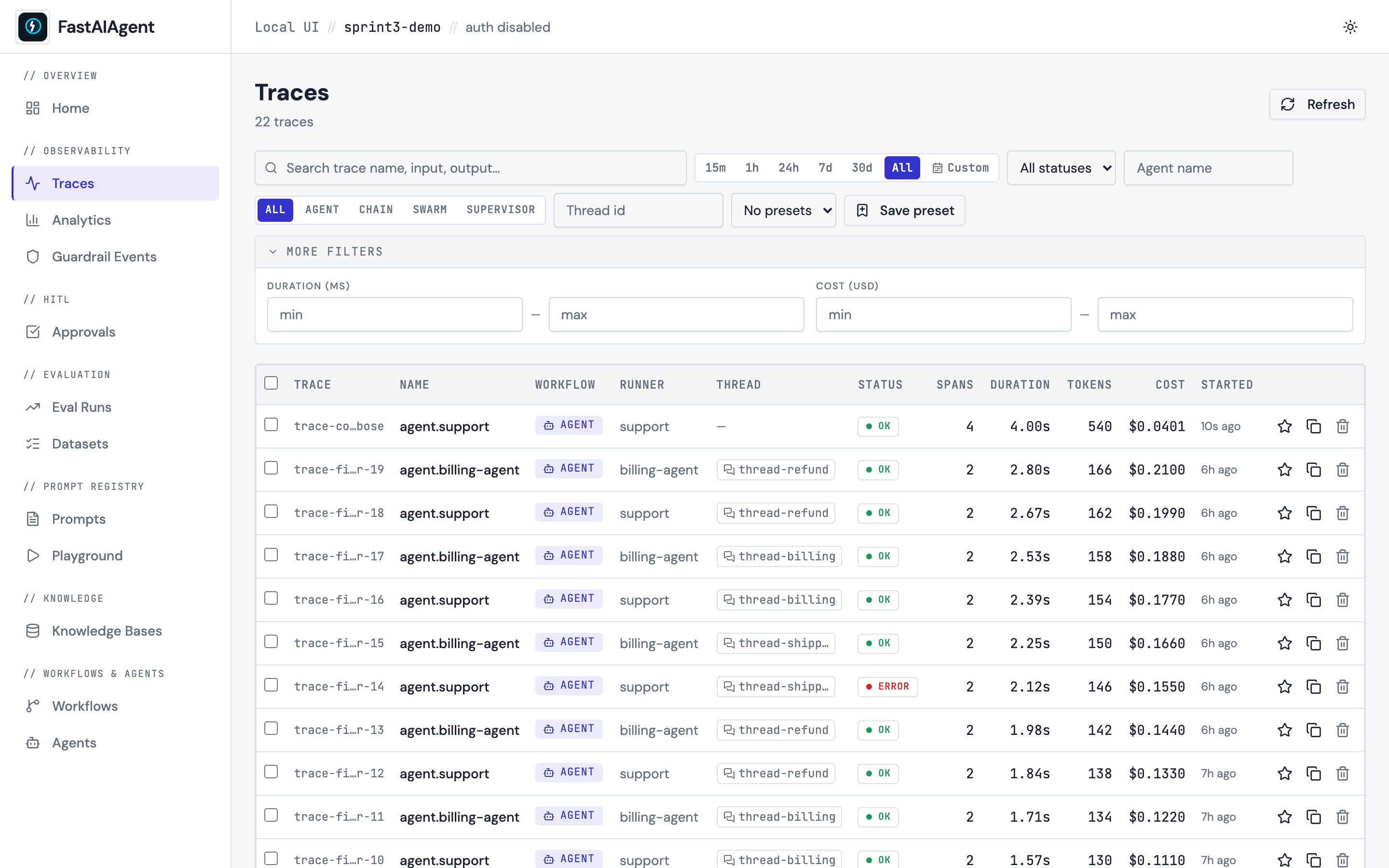
What's new in Sprint 3
| Enhancement | Where to look |
|---|---|
| 30d quick-range button | Right of the existing 7d button |
| Custom date-range picker | Right of the quick ranges; opens a 2-month calendar |
| More filters disclosure | New row below the bar — duration / cost ranges |
| Save preset + presets dropdown | Right of the runner-type pills |
| URL state | Every active filter mirrors into ?key=value query params |
| Full-text search | Input search now goes through SQLite FTS5 — sub-second on 100k+ spans |
Full-text search
The search box used to LIKE-match the trace name and the raw span JSON
blob. Sprint 3 routes it through a dedicated span_fts virtual table
that indexes an extracted input and output field per span.
The keys it pulls from cover what native Agent.run() spans actually
write and the canonical keys foreign-OTel normalization produces
(COALESCE picks the first present, per span):
- Input —
gen_ai.prompt,agent.input,gen_ai.request.messages,tool.args(and thefastaiagent.*namespaced variant). - Output —
gen_ai.response.text,agent.output,gen_ai.response.tool_calls,tool.result(withgen_ai.completionand thefastaiagent.*variant as fallbacks).
Schema v10 widened this. v6 indexed only
gen_ai.prompt/gen_ai.response.text— keys native spans never populate — so the box effectively matched span names only. v10 rebuilds the triggers and the index content over the wider key set, so a search matches the agent and tool inputs/outputs a run actually recorded. Existing DBs pick it up on the nextinit_local_db(i.e. nextfastaiagent uistart).
The migration creates the table, three triggers (insert / update /
delete) keep it in sync as new spans land, and a one-shot
INSERT … SELECT backfills any pre-existing rows. Result: a search for
"refund policy" on a 1k-span DB returns in well under a second; the
test suite enforces a < 1.5 s budget at that scale as a regression
guard.
Multiple tokens AND together (FTS5 default). Apostrophes, asterisks, and quote characters are escaped so user input can't break the query parser. If the SQLite build was compiled without FTS5 (rare), the endpoint falls back to the LIKE-on-JSON path automatically — no configuration toggle.
Date range picker
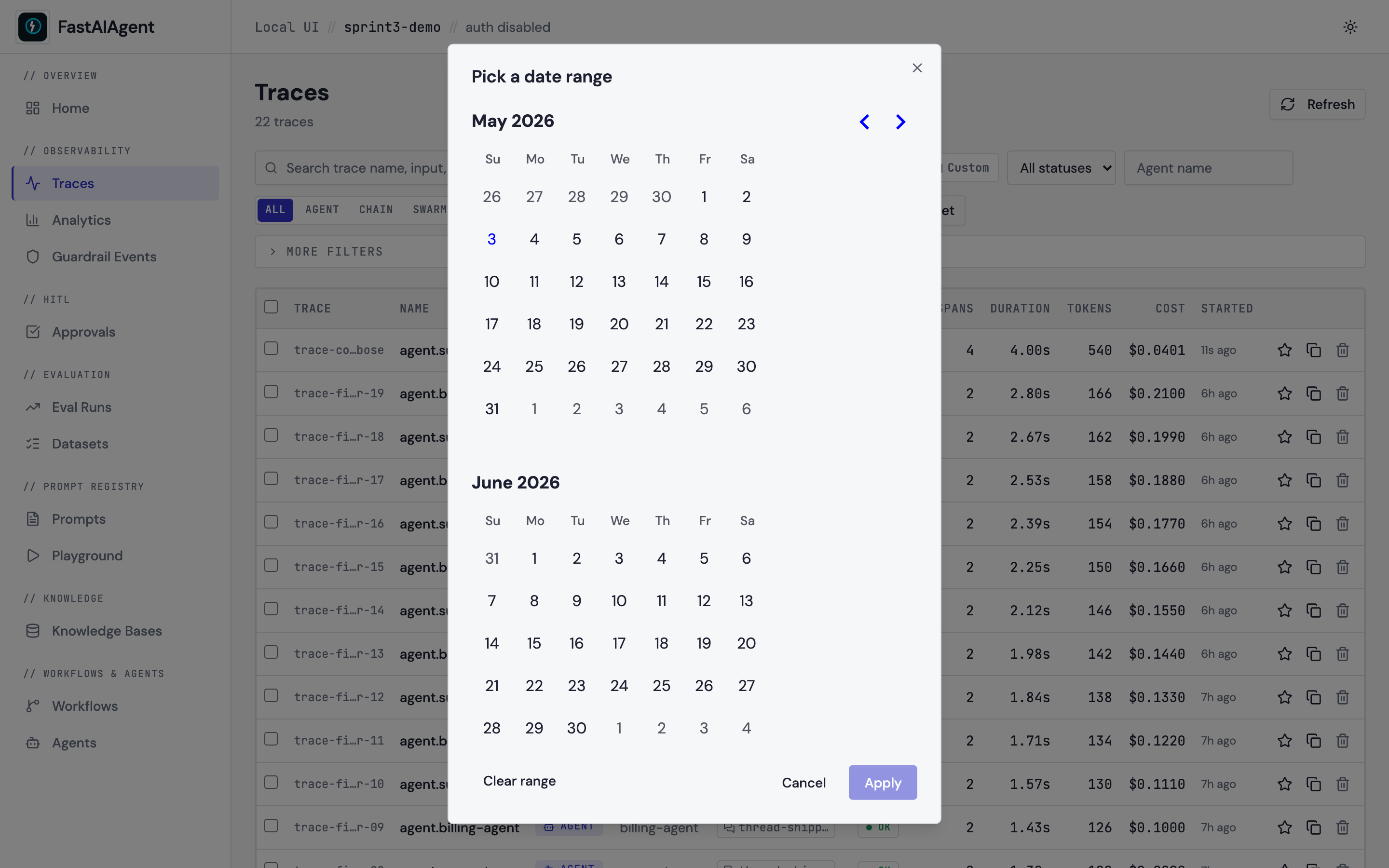
The fixed quick-range buttons (15m, 1h, 24h, 7d, 30d, All) stay
for the common cases. Custom opens a two-month calendar; on
Apply the picker sets since to the start of the chosen "from"
day and until to the end of the chosen "to" day, both as ISO 8601
timestamps. Clear range in the picker drops both. Powered by
react-day-picker.
Duration and cost range filters
Folded under More filters so the main bar stays clean. The toggle shows a count of active filters when something is set so you don't forget about a hidden constraint:
Both ranges are inclusive on both ends. They apply post-aggregation in
the existing list_traces route (the per-trace summary is already
computed for the row payload, so adding the cap is free).
Saved presets
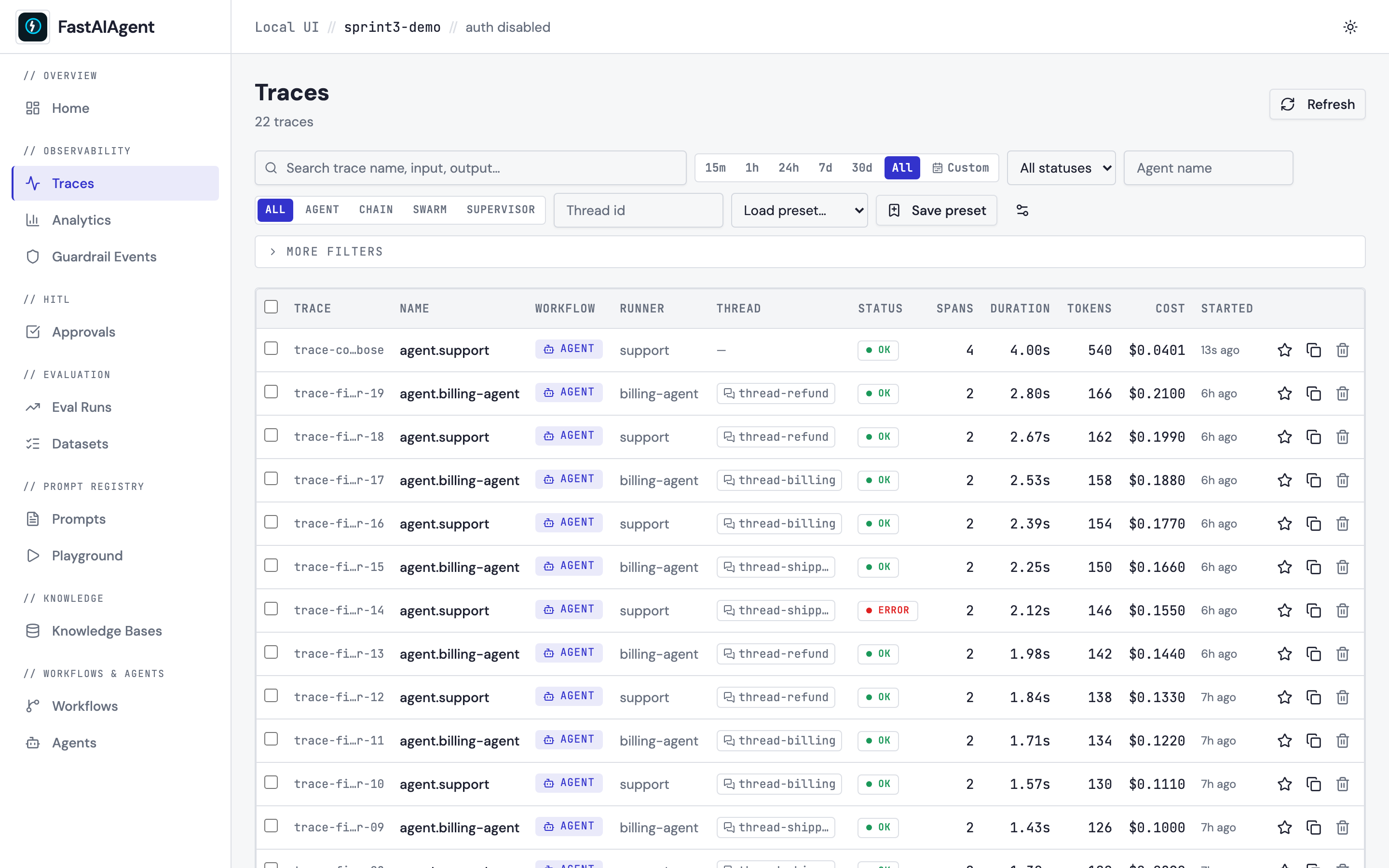
A developer who frequently checks "Agent traces from the last 7 days with errors" shouldn't have to re-apply those filters every time.
- Save preset captures every active filter dimension (search, time range, status, agent, runner type, thread id, duration, cost) and asks for a name. Pagination is intentionally excluded so loading a preset always starts on page 1.
- The dropdown to its left lists the project's presets. Picking one applies its filters atomically.
- The gear icon (visible once you have at least one preset) opens the manage dialog where you can delete presets you no longer need.
Presets are project-scoped via saved_filters.project_id (added in
the v6 migration on top of the v1 table; no parallel filter_presets
table). They're personal local-UI state — not synced to Platform, not
shared across users. The dropdown defaults to "no value" after each
selection so picking the same preset again still triggers a refresh.
URL state
Every active filter mirrors into the URL query string:
/traces?q=refund&status=ERROR&runner_type=agent&since=2026-04-26T00%3A00%3A00.000Z&min_duration_ms=1000&max_cost=0.5
This buys you four things at once:
- Bookmarkable — save "error traces this week" as a browser bookmark.
- Shareable — paste the URL to a colleague.
- Browser navigation — back/forward preserve filter state.
- Refresh-safe — F5 doesn't lose your filters.
The page uses React Router's useSearchParams and writes with
{ replace: true } so the URL doesn't accumulate a history entry per
keystroke.
Endpoints
GET /api/traces?q=…&status=…&since=…&until=…&min_duration_ms=…&max_duration_ms=…&min_cost=…&max_cost=…&min_tokens=…&runner_type=…&thread_id=…&agent=…&page=…&page_size=…
q uses FTS5 when the v6 schema is present, otherwise falls back to
LIKE-on-JSON. max_cost is new in Sprint 3.
GET    /api/filter-presets                    → FilterPreset[]
POST   /api/filter-presets                    → 201 FilterPreset
PATCH  /api/filter-presets/{id}               → 200 FilterPreset (rename / replace filters)
DELETE /api/filter-presets/{id}               → 204
All preset endpoints are project-scoped via the standard AppContext
plumbing — same-Postgres-multi-project setups can't see across
projects.
Schema additions
v6 migration (run automatically by init_local_db()):
CREATE VIRTUAL TABLE IF NOT EXISTS span_fts USING fts5(
    trace_id, span_id UNINDEXED, name, input_text, output_text,
    tokenize = 'unicode61'
);

CREATE TRIGGER spans_fts_ai AFTER INSERT ON spans BEGIN
    INSERT INTO span_fts(...) VALUES (
        new.trace_id, new.span_id, new.name,
        json_extract(new.attributes, '$."gen_ai.prompt"'),
        json_extract(new.attributes, '$."gen_ai.response.text"')
    );
END;
-- (similar AFTER DELETE / AFTER UPDATE triggers omitted for brevity)

INSERT INTO span_fts(...) SELECT ... FROM spans;  -- bulk backfill

ALTER TABLE saved_filters ADD COLUMN project_id TEXT NOT NULL DEFAULT '';
CREATE INDEX idx_saved_filters_project ON saved_filters(project_id);
v10 migration drops and recreates those three triggers (and rebuilds the
index content) over a wider COALESCE so the input/output columns also
pull from agent.input / agent.output, gen_ai.request.messages, and
tool.args / tool.result — the keys native spans actually write:
-- spans_fts_ai / _au input_text COALESCE (output_text is analogous):
COALESCE(
    json_extract(new.attributes, '$."gen_ai.prompt"'),
    json_extract(new.attributes, '$."fastaiagent.gen_ai.prompt"'),
    json_extract(new.attributes, '$."agent.input"'),
    json_extract(new.attributes, '$."gen_ai.request.messages"'),
    json_extract(new.attributes, '$."tool.args"'),
    ''
)
Postgres parity: the UI's read tables are SQLite-only in this repo.
The Postgres deployment is currently checkpointer-only (see
checkpointers/migrations/postgres_v1.sql). When the read side moves
to Postgres, the equivalent index is:
CREATE INDEX idx_spans_attributes_fts
    ON fastaiagent.spans
    USING gin (to_tsvector('english', attributes::text));
Performance
The FTS5 index is non-negotiable at scale. On a 100 k-span DB, the LIKE fallback degrades to a table scan; the FTS5 path stays in the order-of-milliseconds range. The Sprint 3 test suite enforces a < 1.5 s budget at 1 k spans as a regression guard.
The search input debounces by 300 ms — typing "refund" only fires one
query, not six. The dependency is internal (useEffect + setTimeout
in TraceFilters.tsx); no extra runtime dep.
Example
The example script
examples/54_trace_filters.py
seeds 20 traces (varying topics, agents, costs, durations) and prints
a battery of pre-filtered URLs you can paste into the browser to see
each filter in action.