Trace Comparison
Side-by-side comparison of any two traces, with summary deltas, an aligned span table, and per-span input/output/attributes diffs. This generalises Replay's "original vs forked" view so you can compare any two traces — Monday's run vs Friday's run, prompt A vs prompt B, agent v1 vs agent v2.
Open it via:
- Traces list → check two rows → Compare appears in the action bar.
- Trace detail → Compare with… → pick a second trace from the modal.
- Direct URL:
/traces/compare?a=<trace_id_a>&b=<trace_id_b>— bookmark or share. Refresh, swap, and back/forward all preserve state.
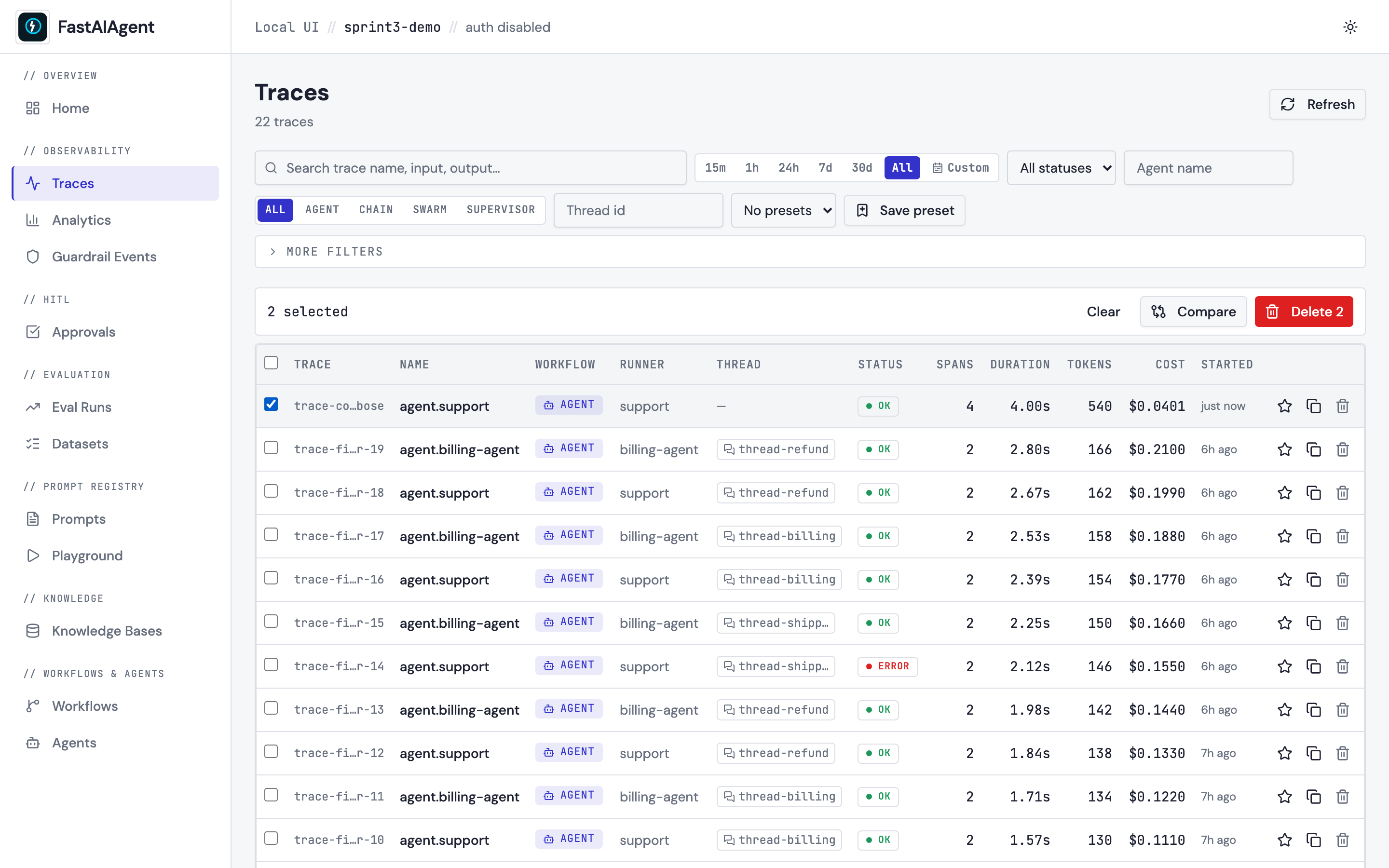
What you see
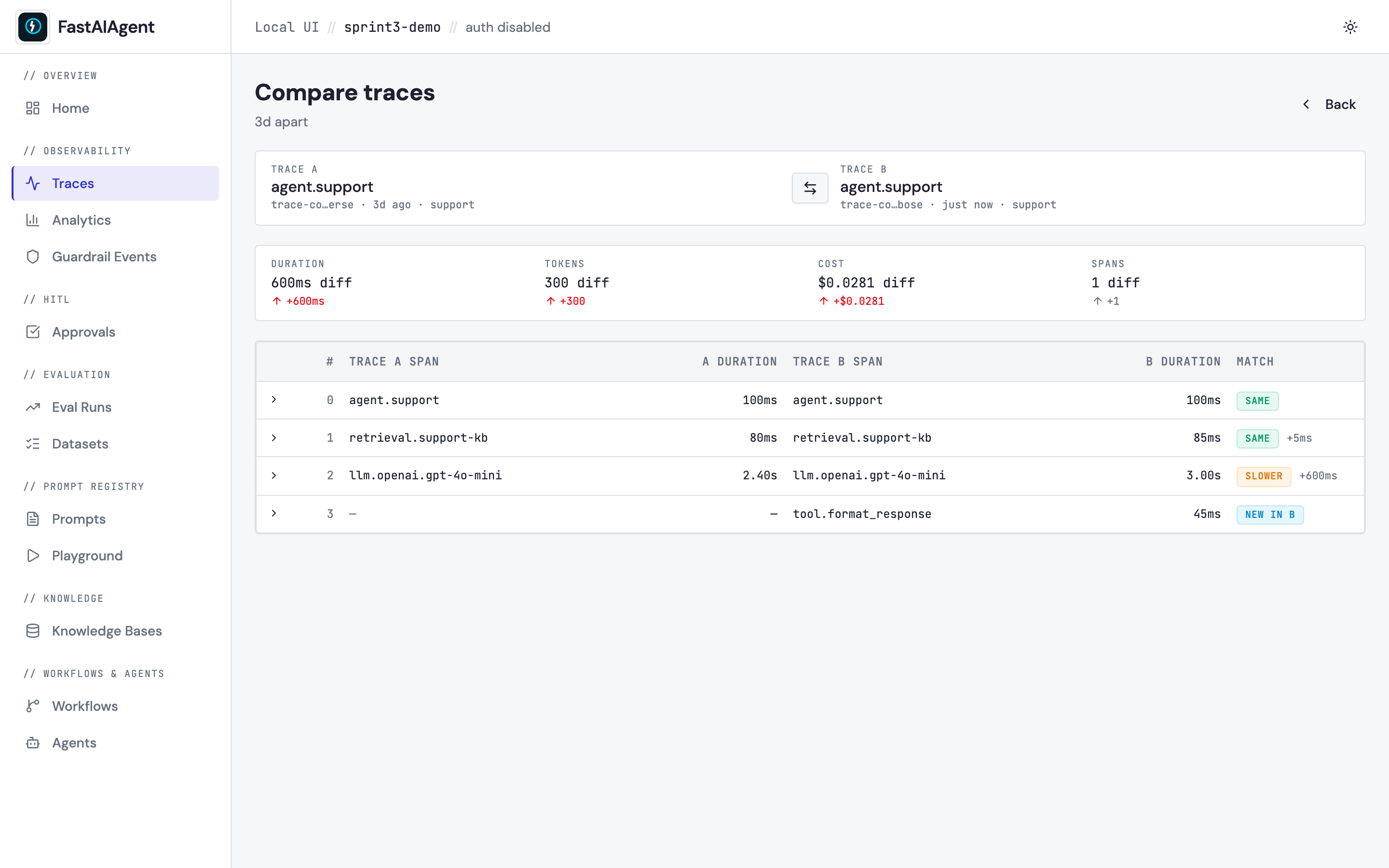
Header
- Trace A and Trace B labels (id · agent · time-ago) on either side.
- A Swap button that flips left/right by toggling the URL query.
- A "N apart" badge — the elapsed time between the two trace start-times.
Summary delta cards — Duration · Tokens · Cost · Spans, each showing the absolute B − A delta. Lower-is-better metrics turn green when B is faster/cheaper, red when B is worse. The Spans cell stays neutral — more spans isn't intrinsically wrong.
Span alignment table — one row per pair of spans. Each row is one of:
| Match | Meaning |
|---|---|
same |
Same name, similar duration, identical output. |
slower / faster |
Same span, duration differs by >500ms or >20%. |
different output |
Same name and timing, but the captured output text differs. |
new in A / new in B |
The span only exists on one side. |
Click any row to expand it.
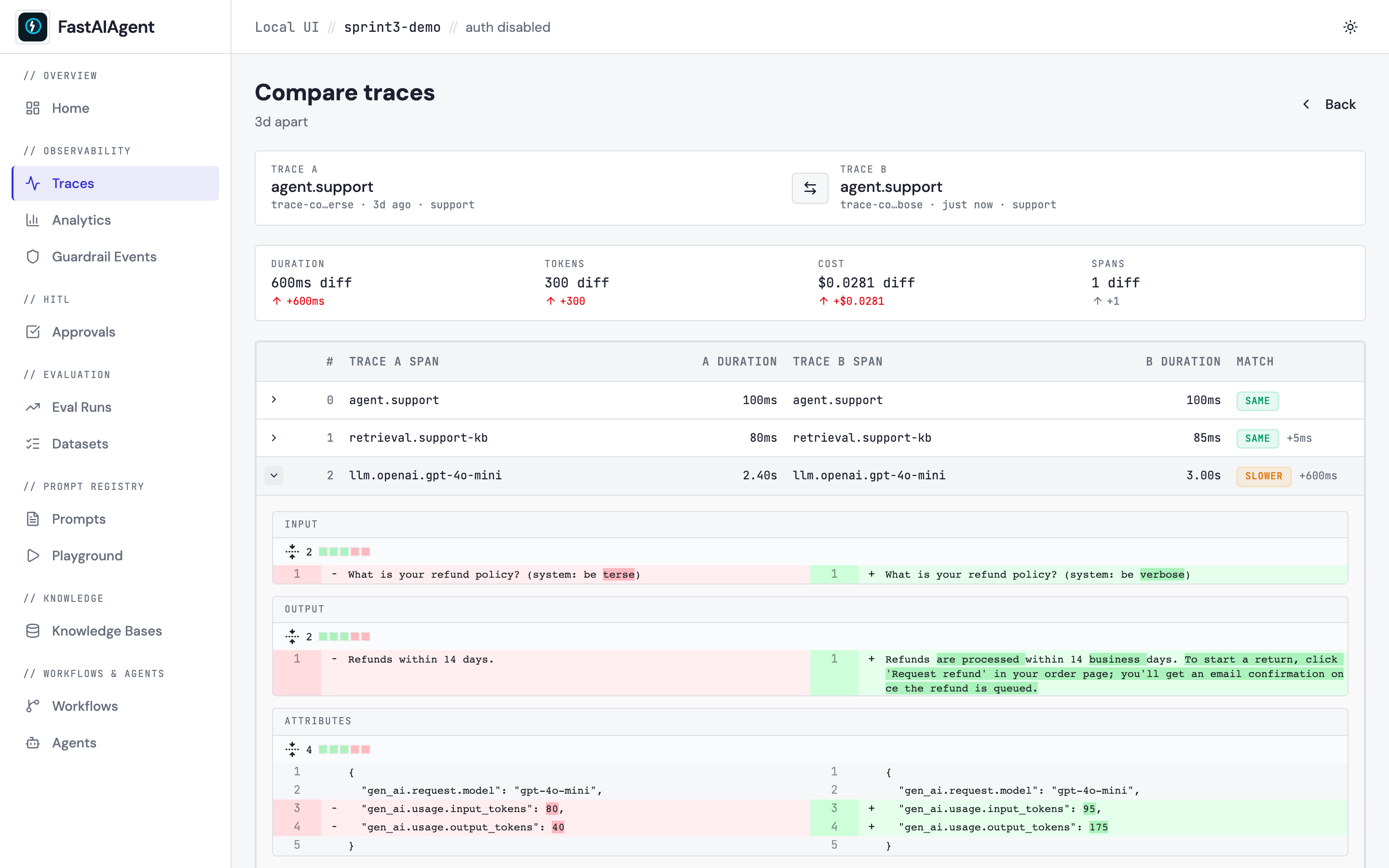
The expanded view shows three side-by-side diff blocks:
- Input —
gen_ai.prompt(LLM spans),tool.input(tool calls), or the genericinputattribute. - Output —
gen_ai.response.text/gen_ai.completion,tool.output, or the genericoutputattribute. - Attributes — every other key, so metadata changes (model, status, custom tags) surface even when payloads match.
All diffs use react-diff-viewer-continued
in word-mode split view, with values JSON-stringified to a canonical form
before diffing — so reordered keys don't trip a false positive.
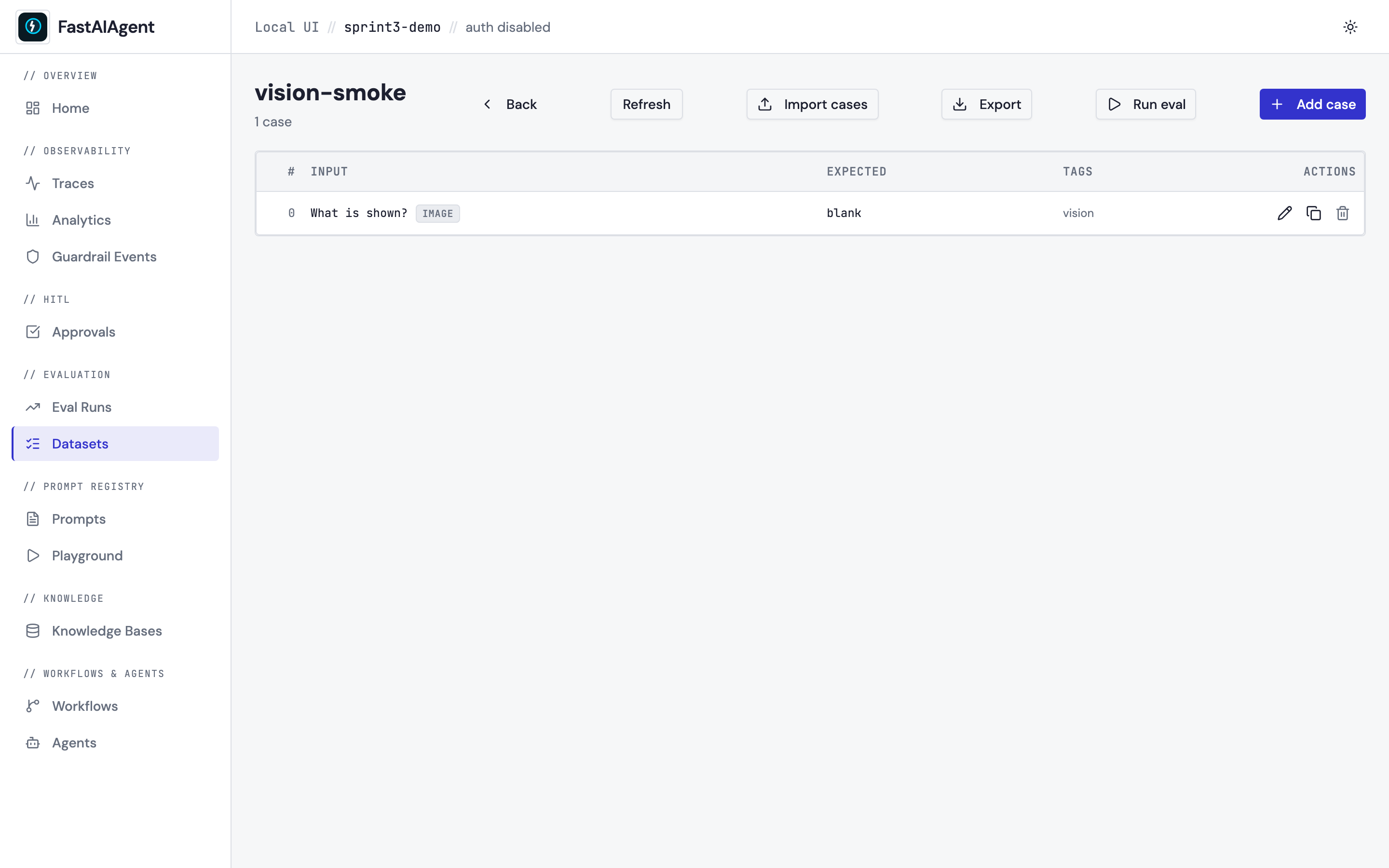
For multimodal cases (image inputs), the image attachments render side-by-side rather than text-diffed:
How alignment works
Two passes, deterministic:
- Match by span name first. If both traces have a span named
retrieval.support-kb, they line up regardless of position. When a name appears multiple times on one side, occurrences pair in order (first-A with first-B, second-A with second-B, etc). - Surface the rest. Spans only in A become
new in Arows; spans only in B becomenew in B. They're appended to the table after the matched rows, in their original trace order.
The index column is the row's position in the alignment table — not
the original span position in either trace.
This handles the common cases cleanly: same agent with a prompt change (matching spans, different outputs), an agent with an added or removed tool (extra/missing spans line up correctly), and completely different agents (mostly unmatched rows).
Endpoint
Response:
{
  "trace_a": { "trace_id": "...", "name": "...", "duration_ms": 2460, ... , "spans": [...] },
  "trace_b": { ... same shape ... },
  "alignment": [
    {
      "index": 0,
      "span_a": { "span_id": "s1", "name": "retrieval.support-kb", "duration_ms": 5 },
      "span_b": { "span_id": "s2", "name": "retrieval.support-kb", "duration_ms": 5 },
      "match": "same",
      "delta_ms": 0
    },
    {
      "index": 1,
      "span_a": { "span_id": "s3", "name": "llm.openai.gpt-4o", "duration_ms": 2400 },
      "span_b": { "span_id": "s4", "name": "llm.openai.gpt-4o", "duration_ms": 2900 },
      "match": "slower",
      "delta_ms": 500
    }
  ],
  "summary": {
    "duration_delta_ms": 660,
    "tokens_delta": 175,
    "cost_delta_usd": 0.03,
    "spans_delta": 2,
    "time_apart_seconds": 259200
  }
}
The alignment is computed server-side, so the frontend never has to implement matching logic — every client gets the same view.
When to use which
| Scenario | Use |
|---|---|
| "Why did Monday's run behave differently from Friday's?" | Trace Comparison |
| "How does prompt A compare to prompt B on the same input?" | Trace Comparison |
| "I forked one trace by editing a step — show me the rerun diff" | Replay |
| "Compare aggregate scorer pass-rates across two eval runs" | Eval Runs → Compare |
The Trace Comparison view is the trace-level peer of the existing Eval Runs Compare and Replay diff — same observability surface, broader scope.
Example
The example script examples/52_trace_compare.py
runs the same agent twice with two different system prompts (terse vs
verbose), then prints the URL of the resulting comparison view.