Simulations
The Simulations surface shows multi-turn agent simulation
runs created by simulate() — a list of runs with pass-rate, and a per-run
detail view with each scenario's transcript and per-criterion verdicts.
Find it in the sidebar under // EVALUATION → Simulations. Runs appear here
automatically whenever you call simulate() (persistence is on by default).
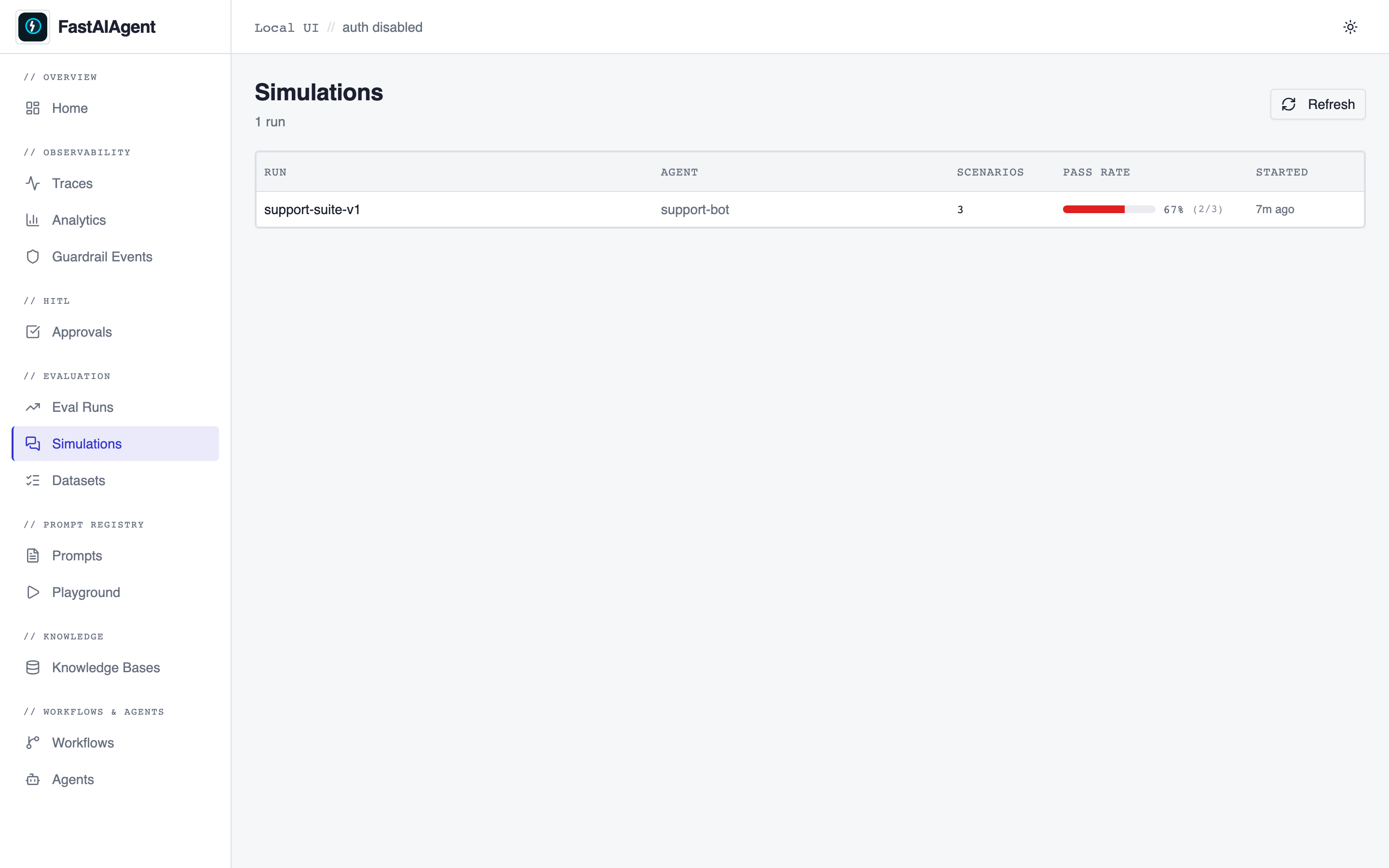
List page (/simulations)
Every simulate() run, newest first, with:
- the run name (or id) and the agent under test,
- the scenario count,
- a pass-rate bar (green ≥ 90%, amber ≥ 70%, red otherwise),
- when it started.
Click a row to open the detail.
Detail page (/simulations/{run_id})
A header strip with pass rate, passed / failed counts, and start time, then one card per scenario. Each card shows PASS / FAIL at a glance; expand it to see:
- per-criterion chips — green when the desired state holds (success criterion met, or failure criterion absent), red otherwise; hover for the judge's reason;
- the transcript as chat bubbles (user on the left, assistant on the right),
with a "view trace" link on each assistant turn that deep-links to the
full trace at
/traces/{trace_id}.
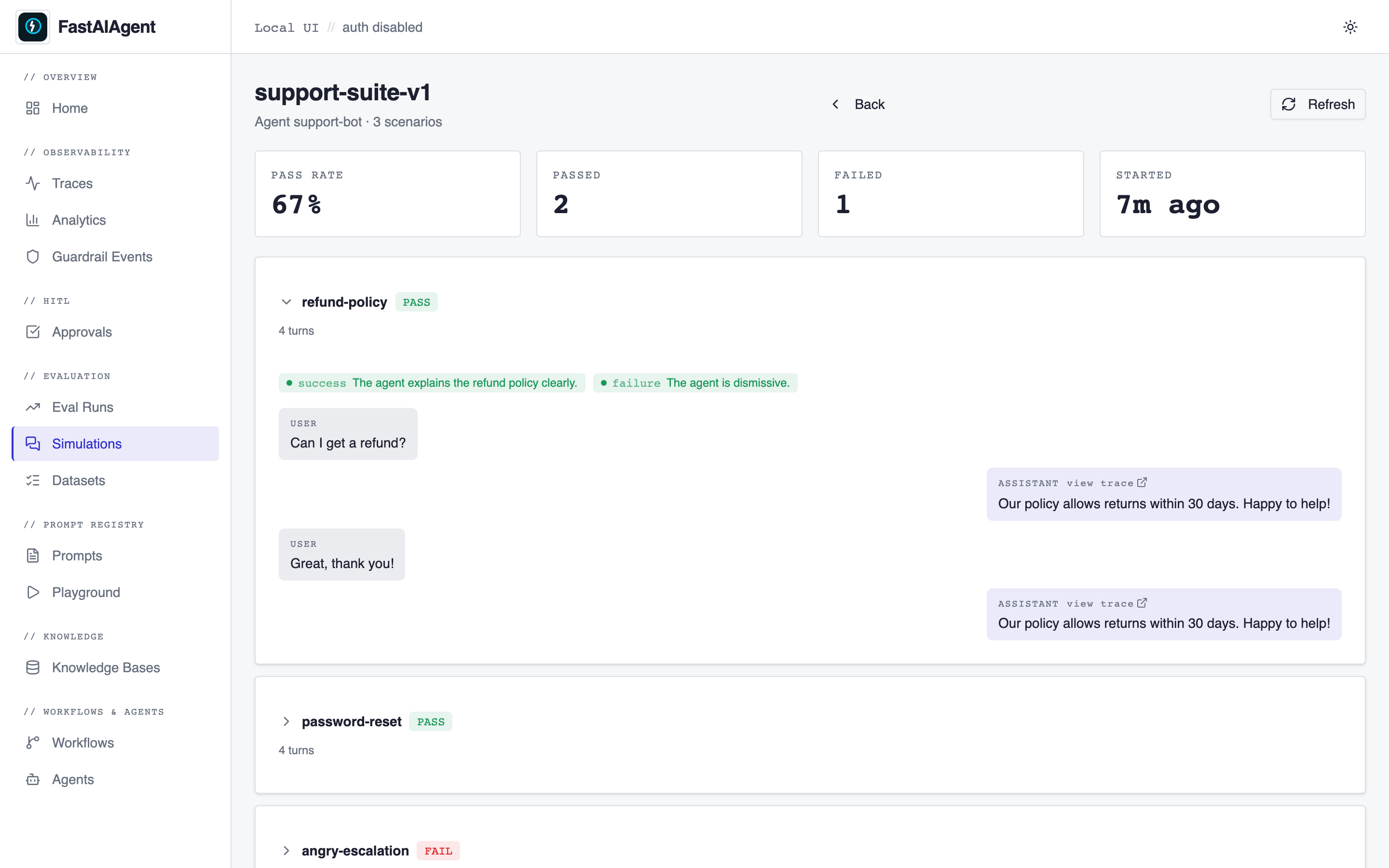
Because each agent turn nests under the simulation's trace, you can jump from a failing scenario straight into the trace — and from there into Agent Replay — to debug exactly what the agent did.