Knowledge Bases browser
The Local UI ships a read-only browser for every LocalKB collection
stored on disk — use it to inspect what's indexed, run ad-hoc searches
without dropping to Python, and trace which agents are pulling which
chunks.
Writes stay in code. The UI never adds, deletes, or re-indexes.
Where data lives
.fastaiagent/
├── kb/                        ← root, override with FASTAIAGENT_KB_DIR
│   ├── support-docs/
│   │   └── kb.sqlite          ← one file per LocalKB collection
│   └── product-faq/
│       └── kb.sqlite
└── local.db                   ← traces, evals, spans (separate file)
The browser scans kb/, finds every subdirectory that contains a
kb.sqlite, and treats each one as a collection. Counts come from a
read-only SQLite connection — the UI cannot mutate a KB even if it
wanted to.
Sidebar entry point
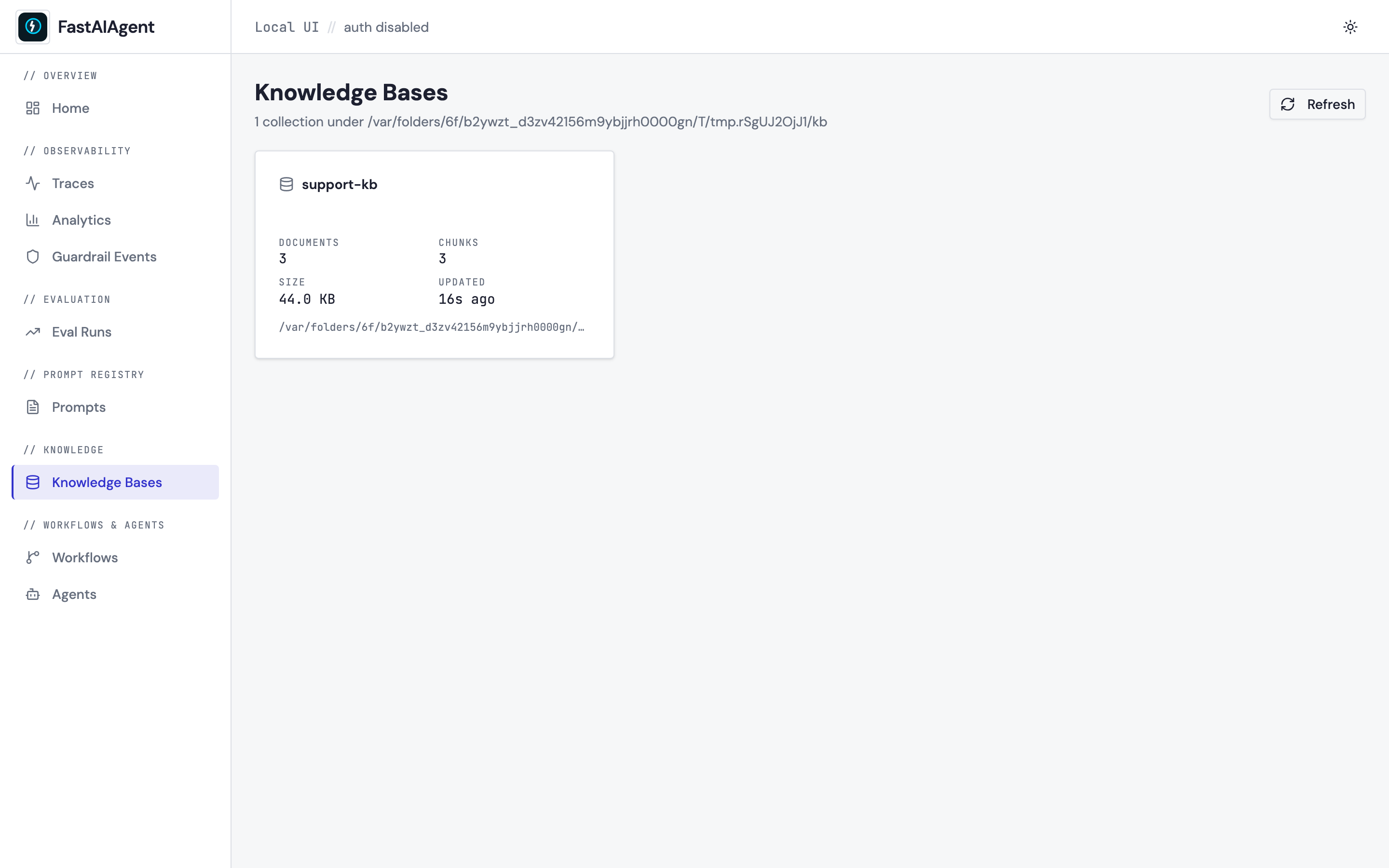
Click Knowledge Bases. You get a card per collection with documents, chunks, size, and "last updated" (mtime on the sqlite file).
Collection detail
Opens on the Documents tab. Three tabs total:
Documents
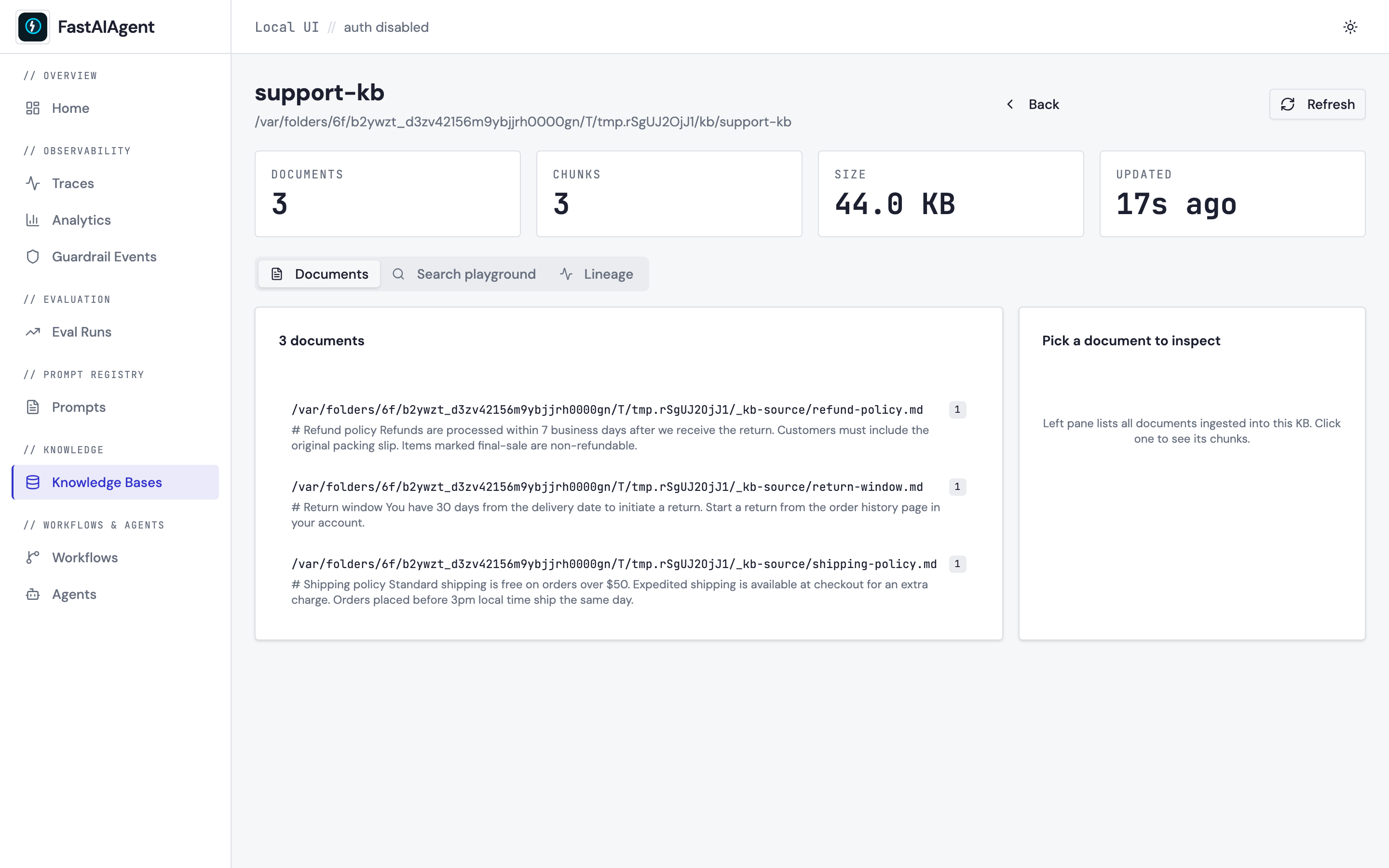
Left pane lists every document ingested into the KB, grouped by the
source field stored on each chunk. Clicking a document loads its
chunks into the right pane — content, char ranges, and chunk index —
so you can verify chunking behavior.
Search playground
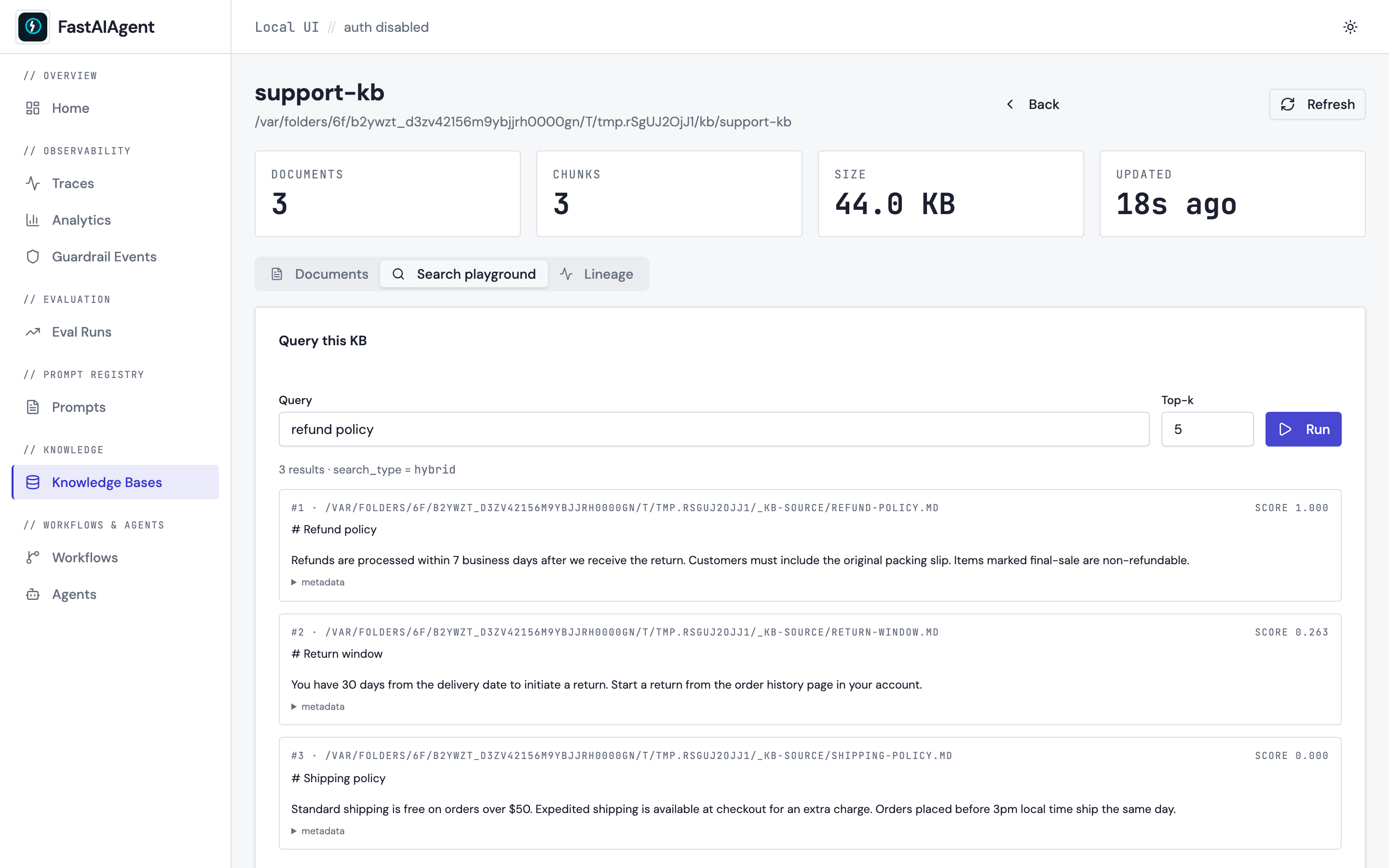
Type a query, pick a top_k, click Run:
- The UI POSTs to
POST /api/kb/<name>/searchwith{"query": "...", "top_k": N}. - The server instantiates a real
LocalKB(name, path)and calls.search()— the same call your agent makes at runtime. - Results come back as ranked chunks with scores. Metadata is shown in a collapsible JSON viewer.
This is one request, one response — no WebSocket, no streaming. Click Run again for a new query; click Refresh on the collection card to re-read doc counts.
Lineage
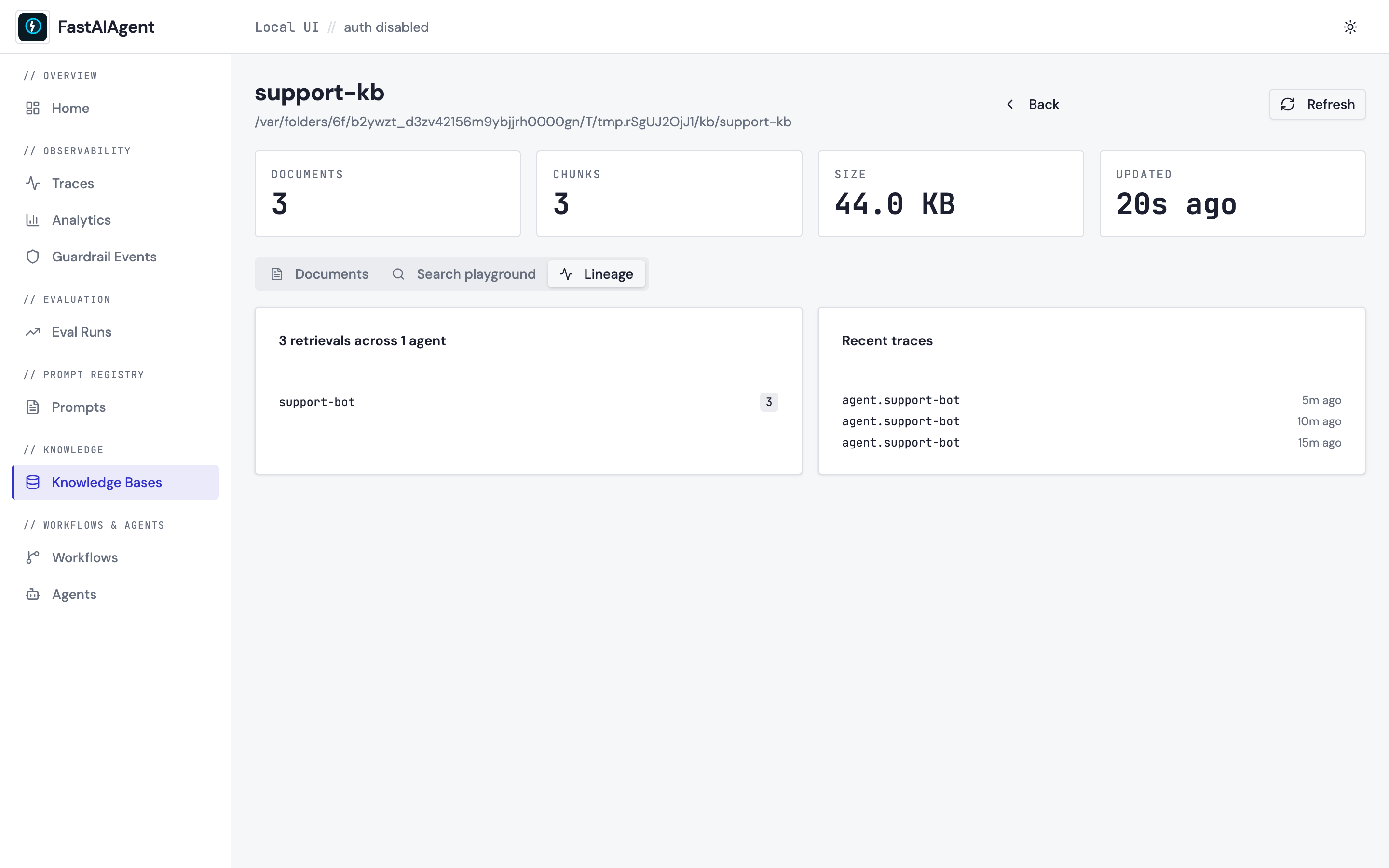
Scans the spans table for retrieval.<kb_name> spans (emitted
automatically by LocalKB.search() when used from an agent). Shows:
- A bar chart of which agents hit this KB and how often.
- The most recent traces that touched it, linked to Trace Detail.
No retrievals yet? Wire the KB into an agent via kb.as_tool(), run
the agent, and refresh.
Environment
| Variable | Default | Effect |
|---|---|---|
FASTAIAGENT_KB_DIR |
./.fastaiagent/kb/ |
Root directory scanned by the UI. |
The variable is read at request time, so you can point the UI at any KB directory by setting the env var before starting the server.
API reference
Every page in the browser is built on five REST endpoints. All require
an authenticated session (unless the server was started with
--no-auth).
| Method | Path | Purpose |
|---|---|---|
| GET | /api/kb |
List collections + counts |
| GET | /api/kb/{name} |
Collection detail + sample metadata keys |
| GET | /api/kb/{name}/documents?page=&page_size= |
Paginated document list grouped by source |
| GET | /api/kb/{name}/chunks?source=... |
All chunks belonging to a source |
| POST | /api/kb/{name}/search |
{query, top_k} → ranked results |
| GET | /api/kb/{name}/lineage |
Agents + recent traces that retrieved |
Not in scope (by design)
- No upload / delete / re-index. Keep these in code — writes happen where agents live, not in the browser.
- No live streaming. The Local UI is strictly refresh-based.
- No embedding-model swap UI. Change embedders in code and the
next
LocalKB(...)instantiation will pick them up.
If you want a managed CRUD admin surface for KBs, that's a feature of the FastAIAgent Platform — https://fastaiagent.net.