Eval Datasets
Curate eval cases inside the UI instead of hand-editing JSONL.
Datasets are still the same files Dataset.from_jsonl() loads — the
editor just replaces the script-edit-rerun loop with point-and-click
CRUD, multimodal upload, import/export, and a one-click "Run eval"
against the registered agents.
Find it in the sidebar under // EVALUATION → Datasets, or save your
first case from the Playground via the Save as eval case button.
What it does
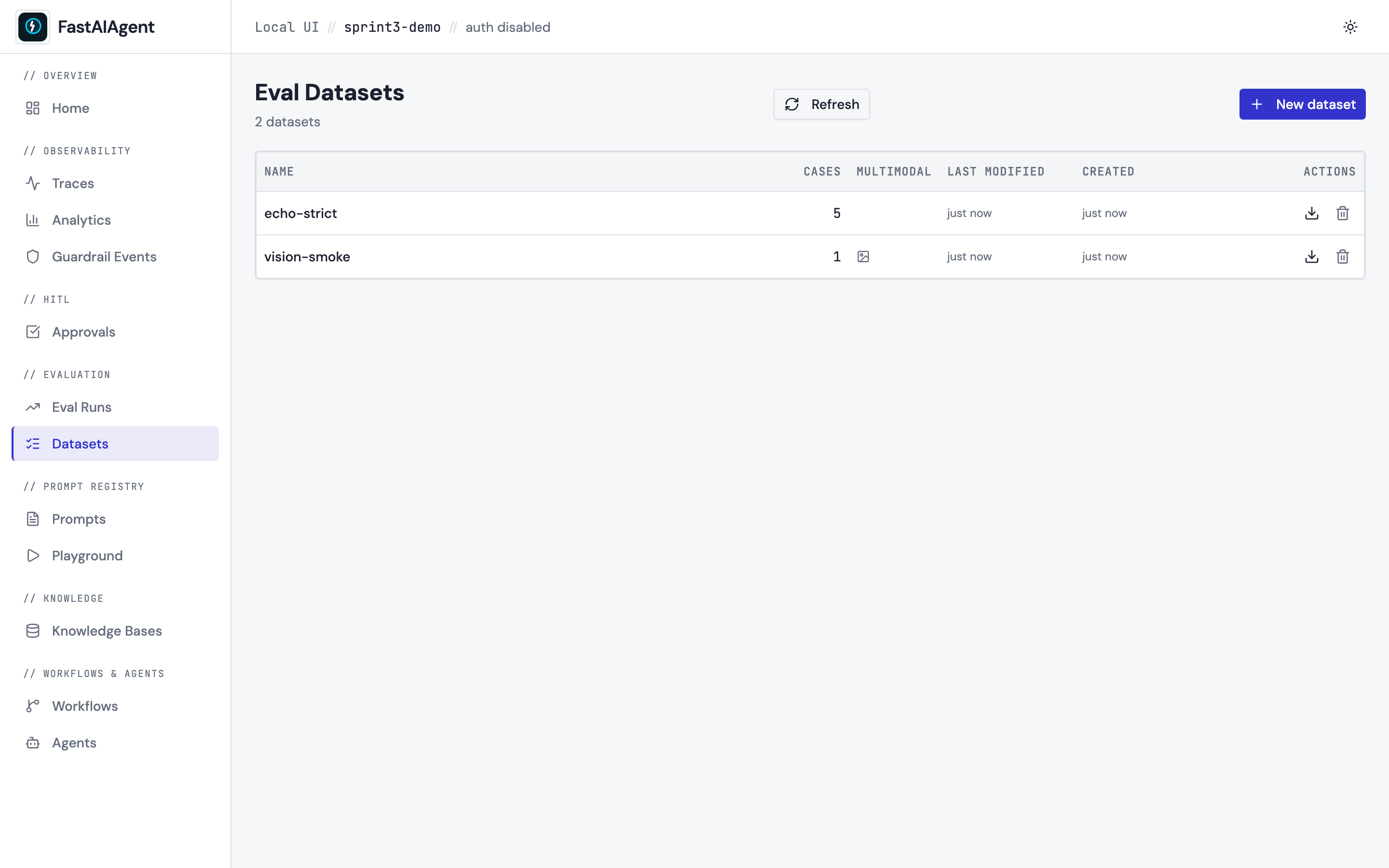
List page (/datasets) — every *.jsonl under
./.fastaiagent/datasets/ with its case count, last-modified time, and
a multimodal badge if any case has an image or PDF part.
- New dataset creates an empty
<name>.jsonl. Name is restricted to[A-Za-z0-9_-]+so paths can't escape the datasets directory. - Export downloads the file directly via
GET /api/datasets/{name}/export— no client-side serialization. - Delete removes the JSONL plus the per-dataset image folder
(
images/{name}/); persisted eval runs that pointed at this dataset keep their snapshots.
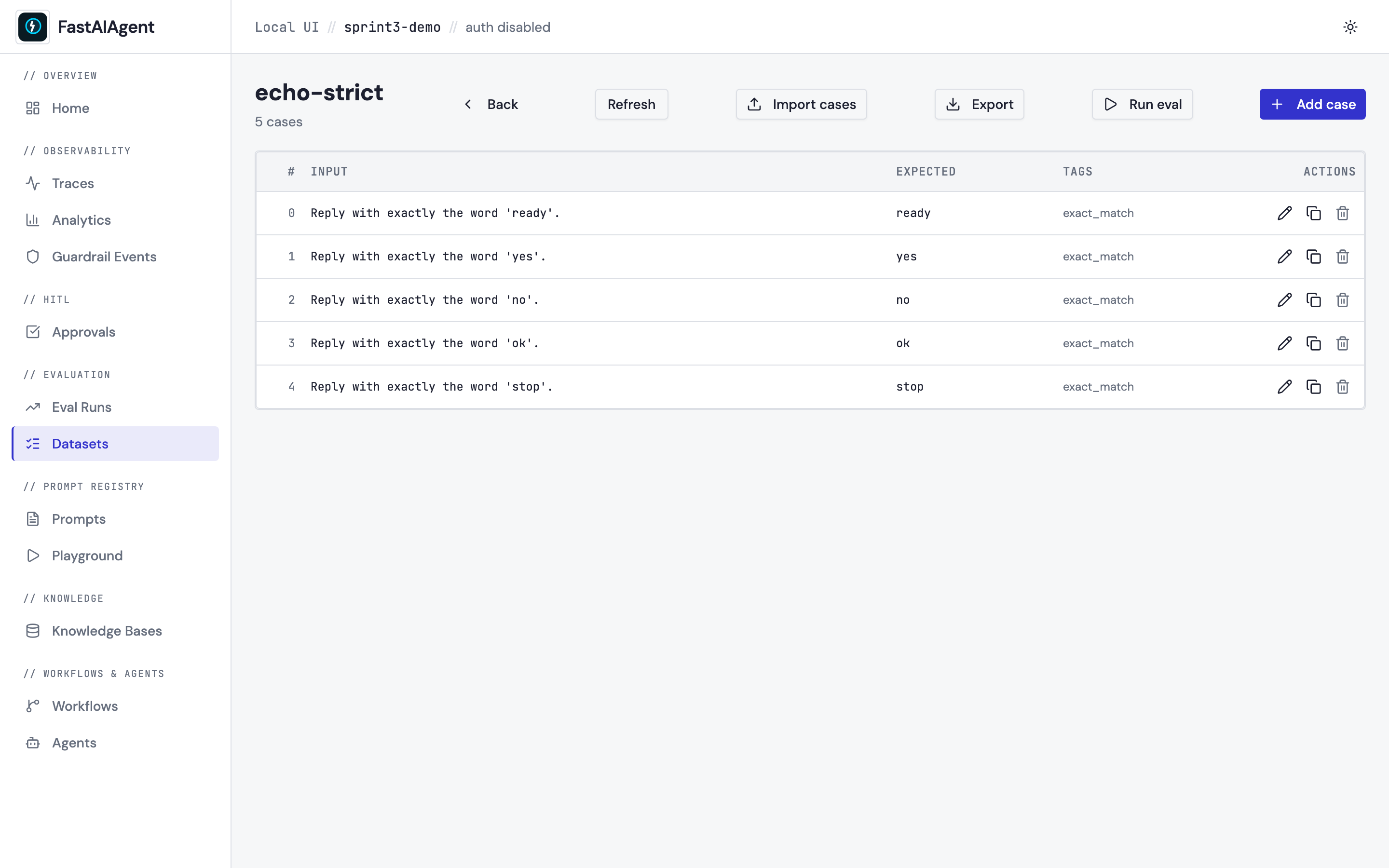
Detail page (/datasets/{name}) — the cases table with row actions
and a header full of bulk affordances:
- Add case opens the editor modal; the new line is appended to the
JSONL atomically (tmp file →
os.replace). - Import cases uploads a JSONL file, validating each line has an
inputfield. The first malformed line wins a 400 with the line number; nothing partial is written.mode=append(default) preserves existing cases;mode=replaceoverwrites. - Export downloads the JSONL.
- Run eval kicks off the eval framework against the dataset. Pick an
agent to evaluate a real one; with none selected it falls back to an echo
agent +
exact_matchscorer, which checks that the dataset loads and scores rather than that a model is any good (the result is labelledmode: "echo"and says so). Agents are selectable once they're registered — start the UI withfastaiagent ui --agent app.py:my_agent. The resultingrun_idis the same one Eval Runs would have produced — clicking through deep-links into/evals/{run_id}.
Case editor
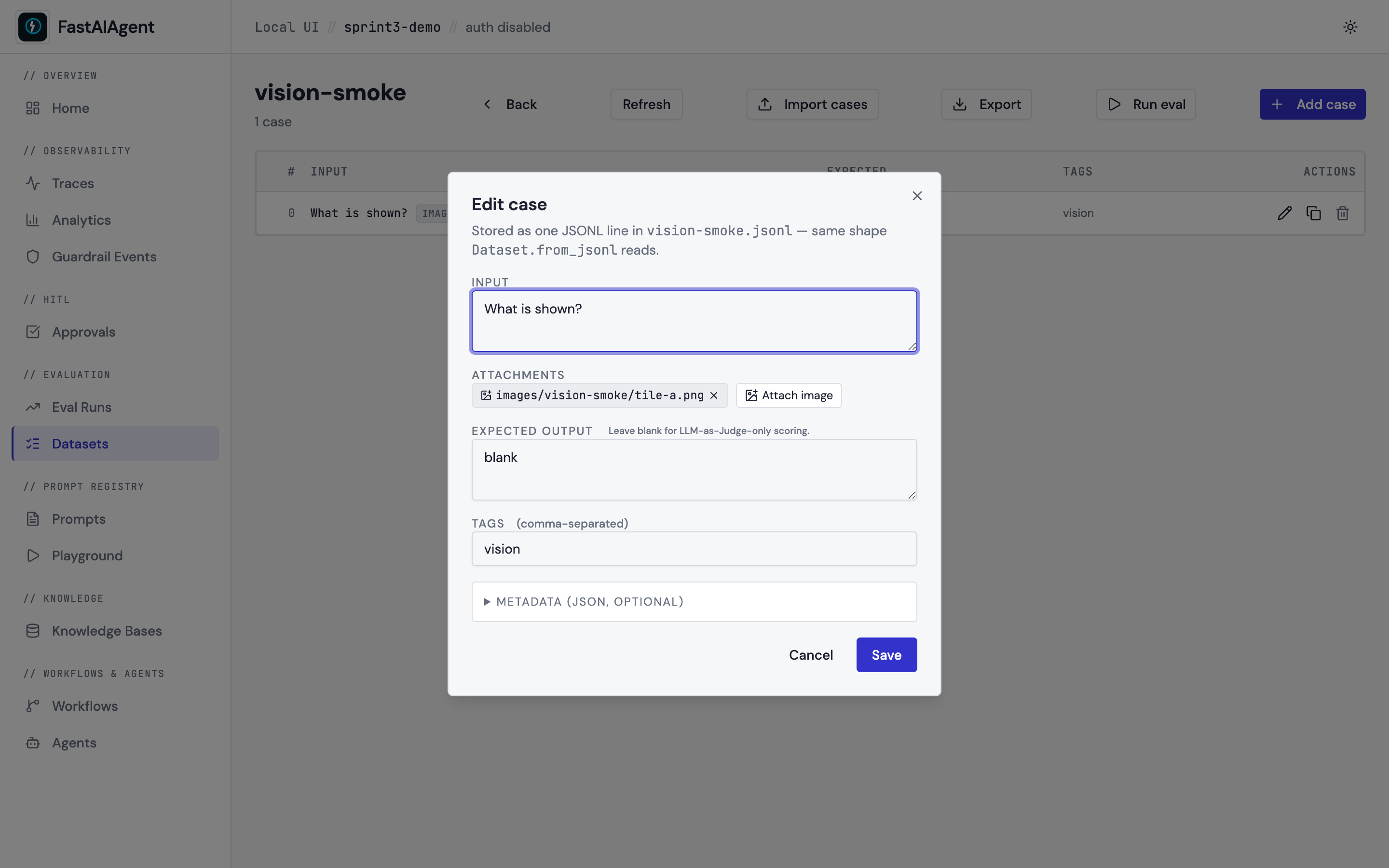
- Input — plain textarea. Attach images via the Attach image
button; the upload lands at
<datasets>/images/<name>/<file>and the case input becomes a typed-parts list:This is exactly the shape{"input": [ {"type": "text", "text": "What animal is this?"}, {"type": "image", "path": "images/vision/cat.png"} ], "expected_output": "cat"}Dataset._resolve_multimodal_partwalks at load time, so the case is immediately runnable through the eval framework. - Expected output — optional. Leave blank for cases scored by LLM-as-Judge only (no exact-match assertion).
- Tags — comma-separated. Useful for filtering runs by category
(
exact_match,retrieval,edge_case). - Metadata — collapsible JSON object. The eval framework doesn't
read it, but the field is preserved on disk so the developer can
attach provenance (e.g.
{"source": "production_trace_abc"}).
"Save as eval case" — Playground bridge
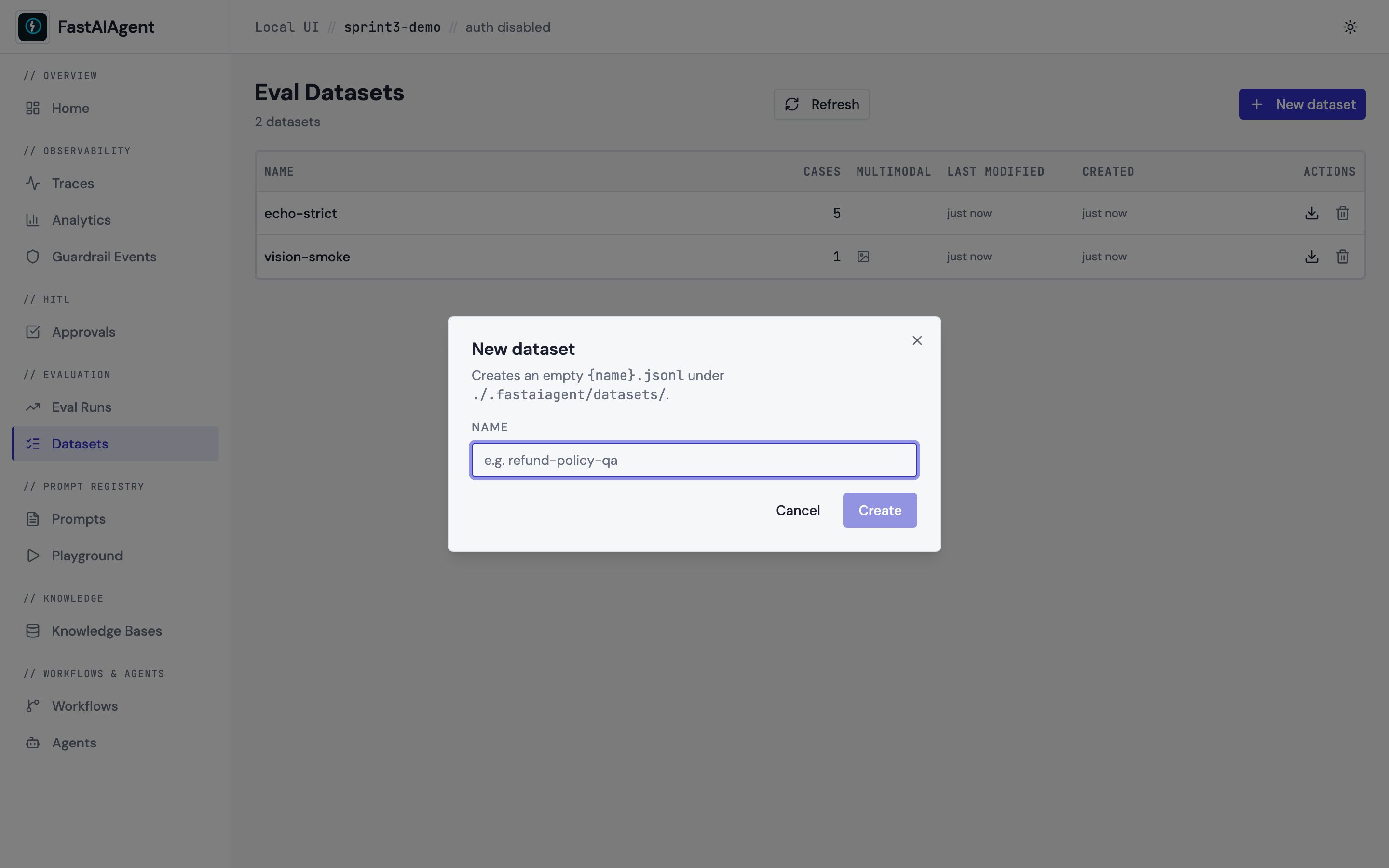
The Playground's Save as eval case button now combos over existing
datasets (with a + New escape hatch), so the inner-loop iteration in
the Playground feeds the outer-loop curation in the editor without
copy-pasting a name. The same dialog is used by Replay's Save as
regression test.
From captured traces (bulk, SDK / CLI)
Beyond the in-UI editor, build datasets programmatically from captured traces —
Dataset.from_traces(filter="favorites") or fastaiagent eval curate --filter
guardrail --out fixme.jsonl. Each agent.<name> span becomes one case. See
Trace Curation.
JSONL format
Plain text case:
{"input": "Reply with the word 'hello'.", "expected_output": "hello", "tags": ["smoke"], "metadata": {}}
Multimodal case:
{"input": [{"type": "text", "text": "What animal is this?"}, {"type": "image", "path": "images/echo/cat.png"}], "expected_output": "cat"}
The editor accepts both expected and expected_output on read (so
hand-edited spec-format files keep working) and writes
expected_output on save (matching the Playground's existing
convention so files written by either tool stay consistent).
Endpoints
GET    /api/datasets                          → DatasetSummary[]
POST   /api/datasets                          → 201 DatasetSummary
GET    /api/datasets/{name}                   → DatasetDetail
DELETE /api/datasets/{name}                   → 204
POST   /api/datasets/{name}/cases             → 201 CaseRow (append)
PUT    /api/datasets/{name}/cases/{index}     → 200 CaseRow (in-place)
DELETE /api/datasets/{name}/cases/{index}     → 204 (re-indexes the rest)
POST   /api/datasets/{name}/import            → ImportResult (multipart)
GET    /api/datasets/{name}/export            → JSONL download
POST   /api/datasets/{name}/images            → 201 ImageUploadResult
GET    /api/datasets/{name}/images/{filename} → image bytes
POST   /api/datasets/{name}/run-eval          → RunEvalResult
Every endpoint is project-scoped via the standard AppContext wiring;
the dataset directory resolves relative to the project's
.fastaiagent/local.db, so multi-project setups (Postgres) keep their
cases isolated.
Integration matrix
| From | Action | Lands in |
|---|---|---|
| Playground | Save as eval case | New row in chosen dataset |
| Replay | Save as regression test | New row in chosen dataset |
| Dataset editor | Add case | Same JSONL the eval framework reads |
| Dataset editor | Run eval | New row in /evals |
| Eval Runs | Compare with… | /evals/compare (existing) |
Same observability surface throughout — every editor write is synchronous and the file is the source of truth.
Example
The example script
examples/53_dataset_editor.py
seeds a dataset with text and image cases and prints the
/datasets/<name> URL so you can open the editor against real data.